Dictate anywhere
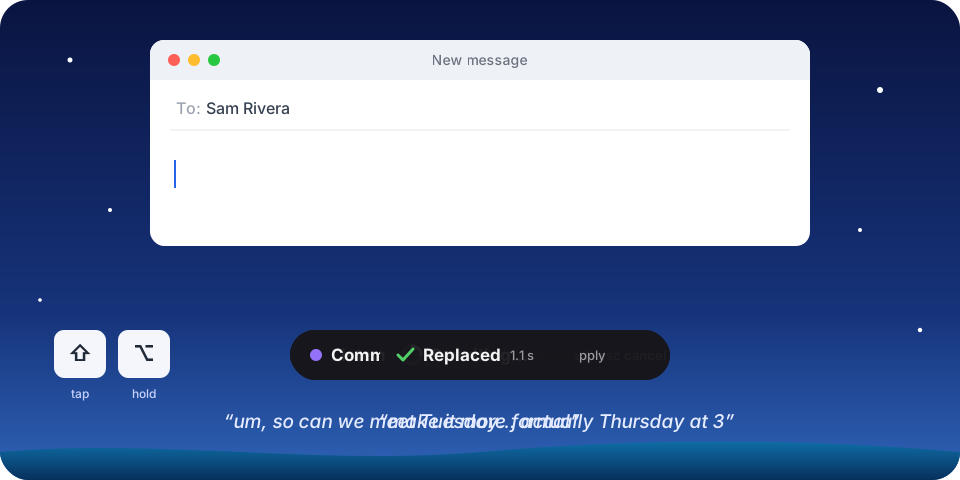
Hold Right Option (Right Ctrl on Windows), speak, let go. Clean text lands in whatever field has focus: email, Slack, docs, the browser, the terminal. Fillers and false starts disappear at the cleanup level you pick per app.
Project / Splashdown · Free and open source
We built Splashdown, a free, open-source app for Mac and Windows. Type in any app by speaking, tell your computer what to do, hear text read back, and turn anything you hear into notes. No subscription, no account, and it can all run on your computer.
macOS 13+ (Apple Silicon and Intel) · Windows 10 and 11
Talk to it
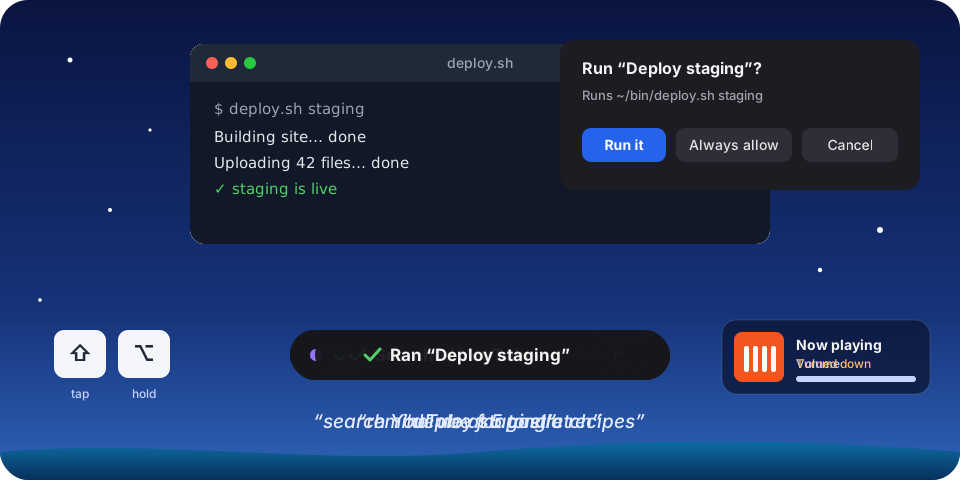
“Remind me at 5 to stretch.” “Add dentist to my calendar on Thursday at 4.” “Pause the music.” Or your own: “deploy staging,” “next slide.” Splashdown works out what you meant in any language, shows exactly what a custom action will run, and asks first. Nothing is sent, deleted, or bought for you.
Notes and meetings
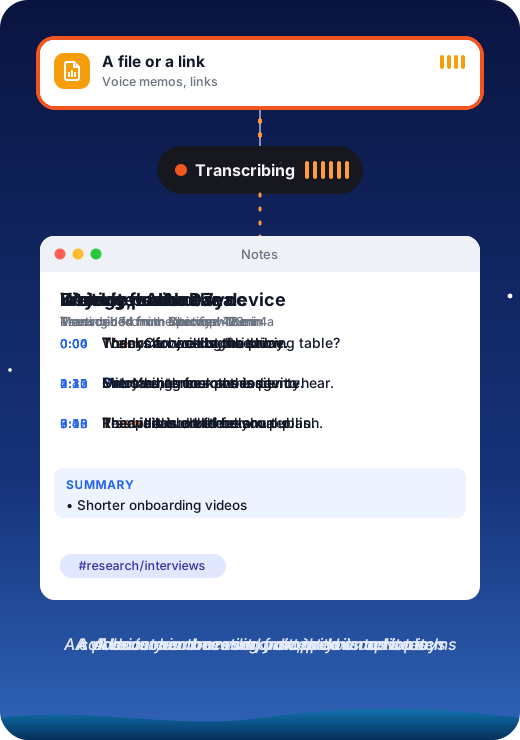
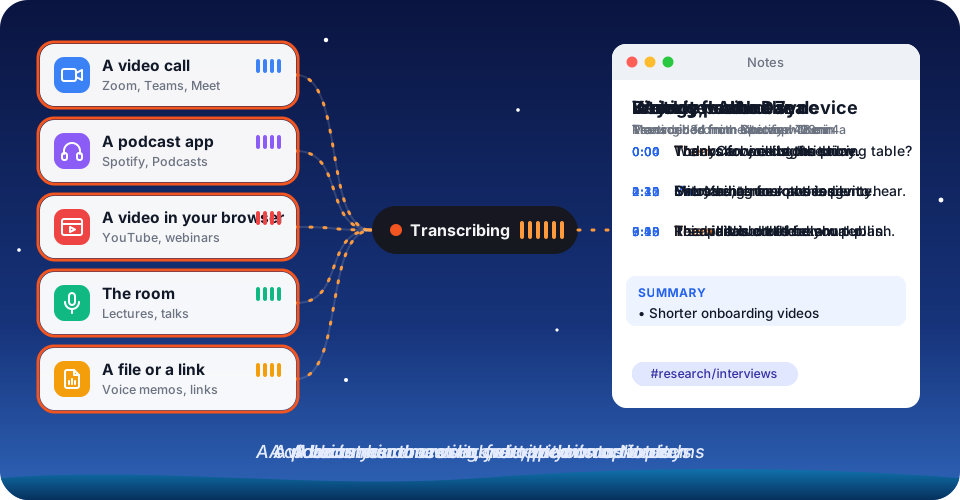
Pick any app (a webinar in the browser, a podcast, a call you’re only listening to) and what it says is written into a note as it plays. Record meetings without a bot joining, transcribe voice memos and YouTube links, and ask your notes questions. Notes are plain Markdown files, so Obsidian, iCloud Drive, and Dropbox just work.
Hold Right Option (Right Ctrl on Windows), speak, let go. Clean text lands in whatever field has focus: email, Slack, docs, the browser, the terminal. Fillers and false starts disappear at the cleanup level you pick per app.
Say what to write, not the words: “reply saying I’m in and ask about parking.” Splashdown reads the conversation on screen and writes the reply in place, with placeholders instead of made-up facts.
Select text and say “read this to me” or “read me a summary of this.” A natural voice that runs on your computer starts in a fraction of a second.
Hold the key, press A, and ask. The answer appears in a small panel you can insert or copy, and it can draw on your notes.
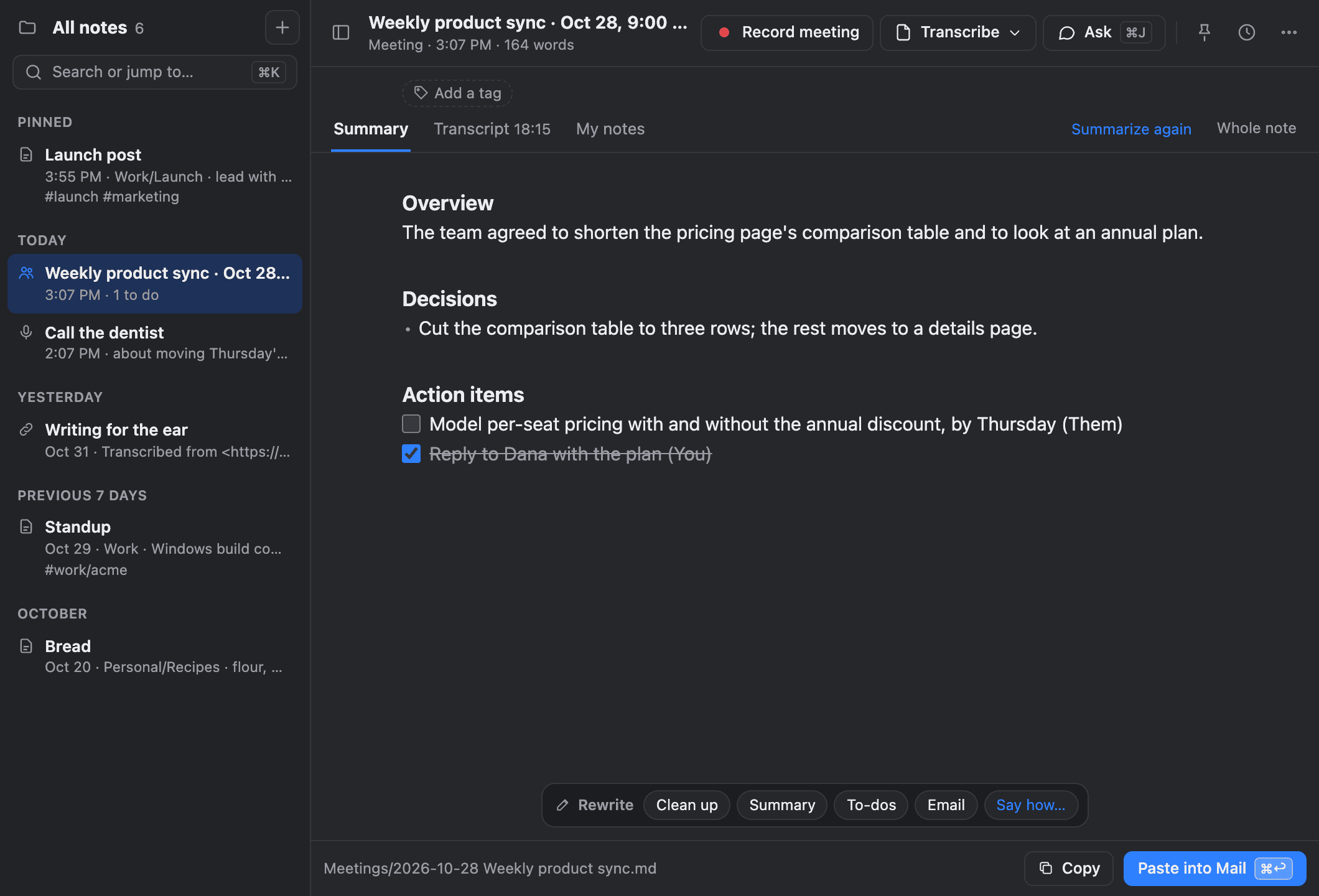
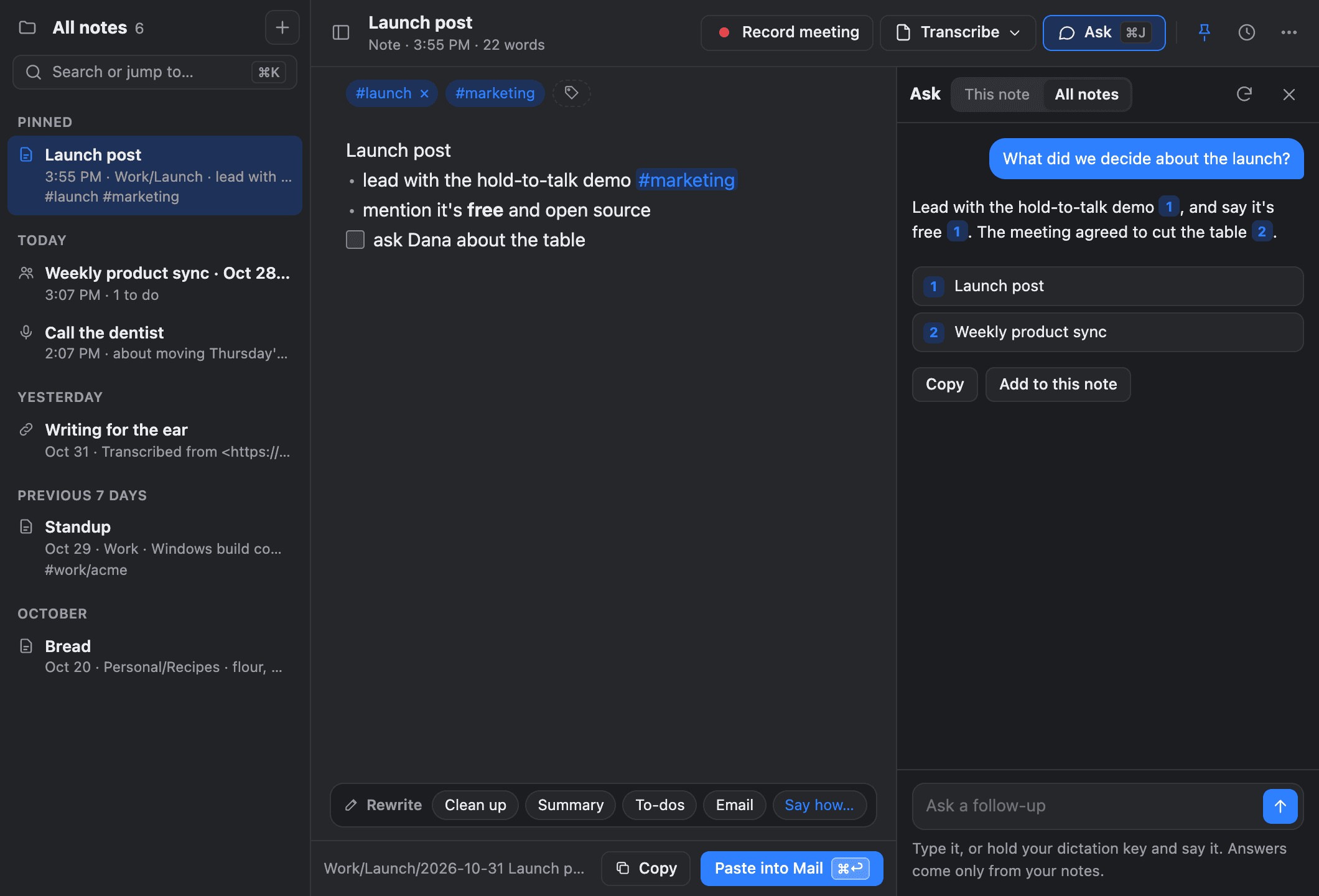
Folders, tags, daily notes, and rewrites you check before keeping. Ask your notes questions and get answers that link to their sources. Every note is a file you own.
Record your microphone and what your computer plays, and the conversation is written into a note as it happens, then summarized into decisions, action items, and open questions.
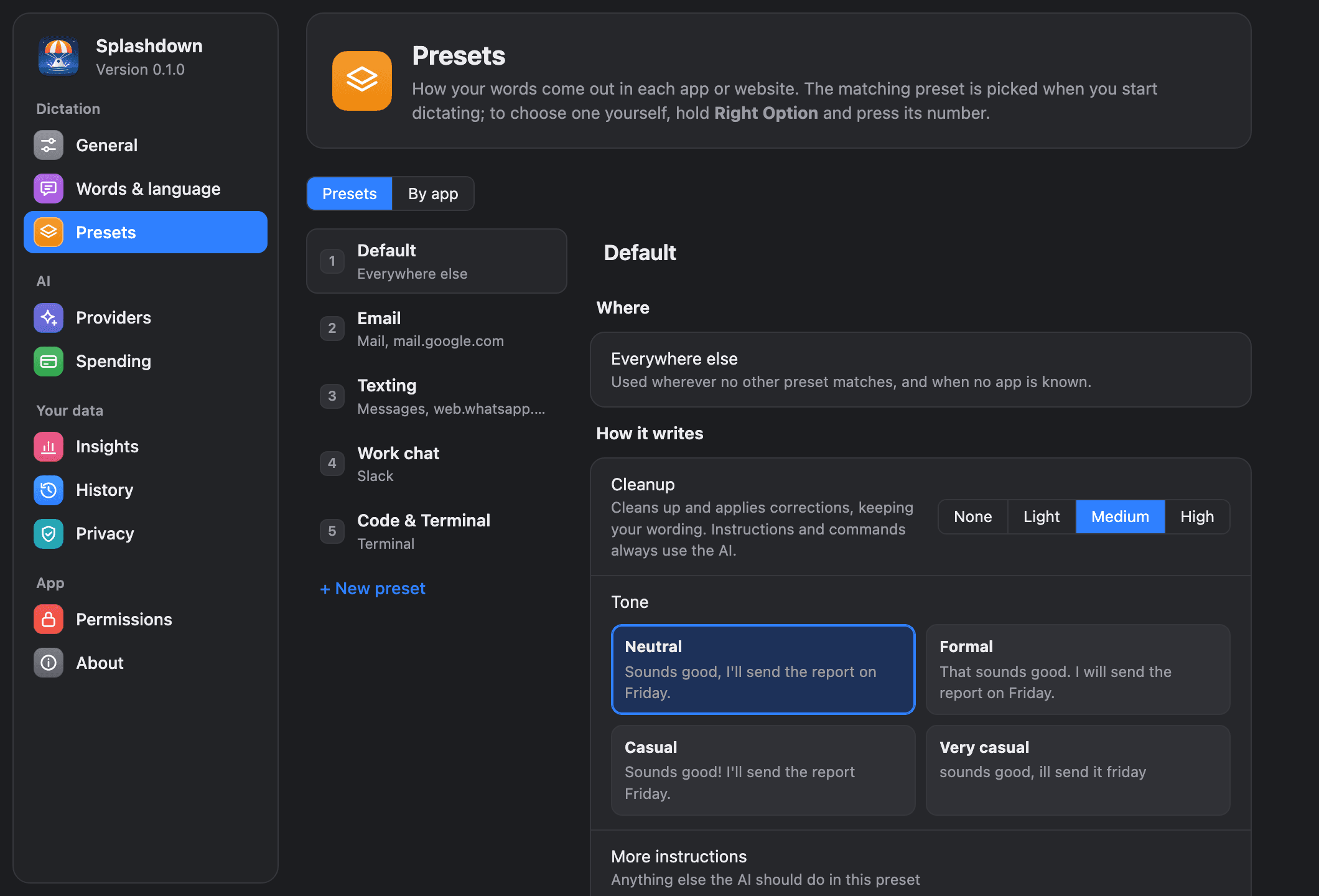
Presets switch on their own by app, window, or website, each with its own tone, cleanup level, language, translation, and AI model.
Names on screen are spelled right without adding them anywhere, and one correction teaches the vocabulary for good. Snippets and imports from other dictation apps included.
Spoken file names become @file mentions for Claude Code and Cursor, an MCP server lets coding agents ask you questions by voice, and a CLI scripts everything.
Private by default
Use Apple’s on-device speech and language models, or the included local models: Nemotron, Parakeet, or Whisper for speech, a built-in text model, and a natural local voice. Nothing leaves your machine. Prefer the cloud? Bring your own OpenAI, OpenRouter, or Anthropic key with a monthly spending limit; typical use costs cents a month. If the cloud fails, your computer stands in.
What it replaces
Paid dictation subscriptions
Free, with no word limits and no account
Meeting bots that join your calls
Records on your computer; nobody else joins
Separate read-aloud apps
A natural voice built in, running locally
Transcription services
Files, links, and any app’s audio, into notes
Engineering focus
Splashdown has to hear a key press anywhere, read the field you’re typing in, run speech and language models fast enough to feel instant, and type the result back, on two operating systems. HyperDev let us build it as a Rust workspace of small, tested pieces.
A platform-agnostic Rust core owns the pipeline, prompts, and commands. A platform layer handles key hooks, accessibility, and typing on Mac and Windows, with a Tauri menu bar app on top.
A Swift bridge to Apple’s on-device models, local speech-to-text that writes as you speak, and a built-in text model running in its own process with llama.cpp, accelerated on the graphics chip where there is one.
Recordings are kept until they become text, a failed cloud provider falls back to a local model, and evals check cleanup quality. Builds are signed and notarized.
A prototype in days. A finished project in weeks. Tell us what you want to build and start with a free technical assessment.
Get Your Free AssessmentWe’ll confirm scope, pricing, and the next available start date before paid work begins.